Building AI Agent Workflow Automation: A Developer's Guide
2026-08-27

AI agent workflow automation runs on a simple loop: observe, reason, act, and learn. An agent perceives its environment through data connectors, reasons about the right next step using a language model, executes that step through an API or tool call, then feeds the outcome back into its context for the next decision. The verdict for developers deciding whether this is worth building: agentic patterns earn their complexity on knowledge-heavy, multi-step tasks where conditions shift and rigid branching logic breaks down. If your workflow is a fixed sequence with predictable inputs, traditional automation or robotic process automation still wins on cost and predictability.
Where agents pull ahead: triaging inbound support tickets against a knowledge base that changes weekly, researching a prospect across five disconnected data sources before a sales call, or reconciling purchase orders where exceptions outnumber the happy path. This guide walks through the architecture, the agent types worth knowing, and the governance controls that keep autonomous systems from becoming liabilities.
- Agents differ from scripts because they reason about *how* to reach a goal, not just execute a predefined path.
- The right use cases involve variability, multiple data sources, and judgment calls, not high-volume identical transactions.
- Implementation, governance, and a getting-started checklist follow in the sections ahead.
Key Takeaways
Agentic workflow automation earns its complexity on variable, knowledge-heavy, multi-step tasks, while deterministic automation still wins on fixed, high-volume processes.
| Point | Details |
|---|---|
| Match agent type to task | Use goal-based agents for open-ended planning and tool-using agents for narrow, testable skill sets. |
| Governance comes first | Define human-in-the-loop checkpoints and monitoring thresholds before choosing your agent architecture. |
| Pick measurable pilots | Prioritize workflows by frequency and clear success metrics, not technical novelty. |
| Reliability needs engineering | Idempotent skills, retries, and audit logs prevent silent failures in production. |
| Managed hosting speeds deployment | ClawBase offers one-click OpenClaw deployment with 99.9% uptime and persistent memory, removing sysadmin overhead for teams launching their first pilot. |
Table of Contents
- What Are the Core Components of an AI Agent Workflow?
- What Types of AI Agents Exist and How Do They Differ?
- How Do Agent Workflows Differ From Traditional Automation?
- What Are the Best Use Cases for Agent-Driven Workflows?
- How Should You Architect Agent Orchestration and Integrations?
- What Governance Controls Keep Agent Workflows Safe?
- How Do You Get a First Agentic Workflow Into Production?
- Where Does Managed Hosting Fit Into Agent Deployment?
- Editorial Take on Agentic Automation
- Get a Private Agent Running Without the Infrastructure Work
- Sources
What Are the Core Components of an AI Agent Workflow?
Every production agent, regardless of framework, is built from the same five parts. Skipping any one of them is usually where pilots stall.
- Perception layer. This is how the agent sees the world: webhook listeners, event hooks from your message queue, document stores, and API polling. A support-triage agent perceives new tickets through a helpdesk webhook; a procurement agent perceives incoming invoices through an email connector or a shared drive.
- Reasoning engine. A large language model does the thinking, often using chain-of-thought prompting to break a goal into steps. Retrieval-augmented generation (RAG) grounds that reasoning in your actual documents instead of the model's training data, and some newer setups pair the LLM with a large action model (LAM) trained specifically to predict tool calls rather than prose. Recent agent architecture research frames this combination of reasoning, tool use, and iterative learning as the core pattern behind long-horizon planning.
- Actuation layer. The agent turns a decision into a real-world effect: an API call, a task runner invocation, or a message to an orchestration primitive that hands off to another service.
- Context management. Session state holds what happened in the current run; persistent memory holds what the agent should remember across runs; a customer's preferences, a vendor's typical delivery delay. Think of it as layered like a stack, short-term context on top, durable memory underneath.
- Feedback loop. Logs, human corrections, and offline evaluation feed back into prompt tuning or fine-tuning, closing the loop between what the agent did and what it should do next time.
Pro Tip: *Build your feedback loop before you scale beyond one workflow. An agent with no correction mechanism just repeats its mistakes faster than a human would.*
What Types of AI Agents Exist and How Do They Differ?
Not every task needs the same agent architecture, and picking the wrong one is the fastest way to overspend on compute or underdeliver on accuracy.
- Goal-based (planner) agents decompose a high-level objective into subtasks and sequence them dynamically. Good for open-ended research or multi-step approvals where the path isn't known in advance.
- Tool-using agents are built around a fixed set of skills or connectors (send email, query a database, create a ticket) and choose among them per turn. These are the easiest to test because each skill has a narrow, well-defined contract.
- RAG-grounded agents retrieve from a knowledge base before answering, which keeps factual tasks like policy lookups or support Q&A anchored to real documents instead of model guesswork.
- Adaptive agents carry persistent memory across sessions, useful when a workflow benefits from remembering a specific customer's history or a recurring vendor's quirks.
- Multi-agent architectures split work between an orchestrator that delegates and specialist agents that execute narrow tasks. Some frameworks now expose formal agent registries and skill cards so orchestrators can discover and route to the right specialist agent automatically.
The trade-off across all five types is consistent: more autonomy buys adaptability but costs you latency, token spend, and harder debugging. A single tool-using agent with three skills is trivial to monitor. A five-agent orchestration graph with dynamic routing is powerful but requires the observability practices covered later in this guide, or you're debugging a black box. Economic analysis from the St. Louis Fed on generative AI's productivity effects suggests the payoff is real, but it scales with how deliberately the system is deployed, not with how many agents you throw at the problem.
How Do Agent Workflows Differ From Traditional Automation?
Traditional automation and RPA execute predefined branches: if field X equals Y, run step Z. Agentic workflows replace that scripted branching with reasoning, letting the system decide which step to take based on context it wasn't explicitly programmed to handle. IBM's framing of agentic workflows draws this exact line: agents make decisions and coordinate tasks with minimal human intervention, where RPA follows a fixed script.
That difference cuts both ways. A scripted RPA bot fails predictably and loudly when it hits an unexpected input; you get a clear error and a known fix. An agent can fail silently by reasoning its way to a plausible but wrong action, which is why the governance section below matters as much as the architecture itself. Maintenance also flips: RPA scripts need updating every time the underlying interface or business rule changes, while a well-grounded agent adapts to interface drift on its own but needs ongoing prompt and retrieval tuning instead.
Most production systems end up hybrid: deterministic steps handle the parts of a workflow with zero tolerance for ambiguity (payment execution, regulatory filings), and an agent handles the parts that require judgment (categorizing a request, drafting a response, deciding which specialist to route to).
| Property | Rule-based/RPA | Agentic workflow |
|---|---|---|
| Decision model | Scripted branches | Reasoning over context |
| Predictability | High | Moderate, improves with guardrails |
| Maintenance burden | Frequent script updates | Prompt/retrieval tuning |
| Edge-case resilience | Fails loudly on unexpected input | Adapts, but can fail silently |
| Best suited for | High-volume, fixed-format tasks | Variable, knowledge-heavy tasks |
What Are the Best Use Cases for Agent-Driven Workflows?
The workflows worth automating first share two traits: they happen often enough to matter and their outcomes are easy to measure. Chasing a flashy but rare use case is how pilots die in committee.
- Pre-call sales research. An agent pulls a prospect's firmographic data, recent news, and CRM history into a single brief before a rep's call. Success metric: minutes saved per rep per day, measured against manual research time.
- Support ticket triage. A RAG-grounded agent classifies incoming tickets, drafts a first response from your knowledge base, and escalates anything outside its confidence threshold. Success metric: percentage of tickets resolved without human rewrite.
- Purchase order processing. A tool-using agent matches POs against invoices and flags mismatches for a human reviewer instead of blocking the whole batch. Success metric: exception rate and time-to-resolution.
- Document Q&A over internal knowledge bases. Useful for onboarding, compliance lookups, and internal policy questions where the answer already exists somewhere but is hard to find. Success metric: query resolution rate without escalation.
When picking your first one to three pilots, weight frequency and measurability above technical novelty. A workflow that runs 200 times a week with a clear before/after metric will prove ROI faster than a rare, complex workflow that looks impressive in a demo. This is consistent with how Camunda frames automation as central to digital transformation: the cost reductions come from consistent, repeatable execution, not one-off wins. A catalog of repetitive professional tasks is a useful starting point if you're not sure which workflow in your own operation fits this profile.
Pro Tip: *Score each candidate workflow on a simple 1 to 5 scale for frequency, measurability, and error tolerance. Anything scoring low on error tolerance should stay deterministic, no matter how appealing the automation looks.*
How Should You Architect Agent Orchestration and Integrations?
The architecture decisions you make early determine whether your agent workflow scales cleanly or turns into a maintenance sinkhole by month six.
Orchestration patterns. Event-driven orchestration triggers an agent on a webhook or queue message, well suited to reactive tasks like ticket triage. Scheduled orchestration runs an agent on a timer, good for batch tasks like nightly report generation. Process-model orchestration maps agent steps onto explicit BPMN or DMN diagrams, which keeps governance visible even when part of the flow is agentic. UiPath's Maestro is one example of this pattern, modeling processes as executable artifacts so organizations retain deterministic control over the parts of a workflow that need it while still letting agents handle the ambiguous fragments.
Connector and secrets strategy. Treat each connector (CRM, ticketing system, database) as a scoped skill with its own credentials, rotated independently and never shared across agents. This limits blast radius if one skill is compromised or misconfigured.
RAG and LAM integration. Use RAG when your agent needs to ground its reasoning in documents that change (policies, product catalogs, ticket history). Use a LAM pattern when the agent's job is primarily to predict the next tool call rather than generate prose, which tends to be faster and cheaper for high-volume tool-calling tasks.
Reliability engineering. Every action an agent takes against an external system should be idempotent wherever possible, so retries don't create duplicate records. Wrap actuation calls in retry logic with exponential backoff, and define clear transactional boundaries so a partial failure rolls back cleanly instead of leaving your system in a half-completed state. Apache Airflow is a widely used example of a platform built specifically around observable, retryable workflow execution, and it's a reasonable orchestration layer to sit underneath agentic tasks that need scheduling and dependency tracking.
Deployment choices.
| Deployment option | Setup effort | Ongoing maintenance | Best fit |
|---|---|---|---|
| Self-hosted, self-configured | High (sysadmin skills required) | High (updates, backups, uptime) | Teams with dedicated infrastructure staff |
| Managed hosting | Low (one-click deployment) | Low (handled by provider) | Teams who want to focus on workflow logic, not servers |
- Self-hosting gives full control over the runtime but demands ongoing patching, backup management, and uptime monitoring.
- Managed hosting shifts that operational burden off your team, trading some infrastructure control for speed to production.
Observability. Logs, metrics, and traces aren't optional extras, they're how you debug an agent that reasoned its way to the wrong action. A replay-capable logging setup lets you reconstruct exactly what context an agent had when it made a bad call, which is often the only way to fix a reasoning error instead of just patching the symptom. Platform documentation from n8n makes a similar point: combining visual workflow builders with code-level hooks keeps agentic steps debuggable rather than opaque.
What Governance Controls Keep Agent Workflows Safe?
Autonomy without oversight is how a well-intentioned agent workflow turns into an incident report. The controls below are the minimum, not the ceiling.
- Human-in-the-loop placement. Put a human checkpoint anywhere an agent's action is expensive to reverse: sending an external email, approving a payment, closing a ticket without resolution confirmation. Escalate low-confidence decisions automatically rather than letting the agent guess.
- Guardrail patterns. Sanitize inputs before they reach the reasoning engine, scope each agent's permissions to the minimum set of actions it needs, and never grant a single agent broad write access across systems it doesn't need to touch.
- Testing discipline. Unit test individual skills in isolation, integration test full flows end to end, and run new agent versions in shadow mode against live traffic before cutting over.
- Monitoring thresholds. Track escalation rate, average confidence score, and task completion time; a sudden jump in any of the three usually means a knowledge base went stale or an upstream API changed shape.
- Audit trails. Version control agent instructions and prompts the same way you version application code, and keep an audit log of every action taken so you can reconstruct exactly why a decision was made. Gartner's guidance on intelligent agents recommends this level of governance and monitoring as standard practice for enterprise deployments, not an optional add-on for regulated industries only.
Pro Tip: *Design skills to be idempotent and side-effect-limited from day one. A skill that can safely run twice without creating a duplicate record is dramatically easier to test, roll back, and trust in production.*
How Do You Get a First Agentic Workflow Into Production?
Shipping your first agent workflow safely comes down to sequencing. Skip a step here and you'll likely rebuild it later under pressure.
- Pick the pilot using frequency, measurability, and error tolerance as your filters, not technical interest. The workflow with the clearest before/after metric wins.
- Define goals and success metrics before writing any code: what does "working" look like in numbers, and what data sources does the agent need access to?
- Build minimal skills first. Implement the smallest set of connectors that let the agent complete the workflow, and sandbox its behavior against test data before touching production systems.
- Add grounding and review gates. Wire in RAG against your actual knowledge base, and place a human review gate on any action with real-world consequences.
- Deploy narrow, then expand. Launch to a limited user group or a subset of traffic, watch the monitoring dashboards closely for the first two weeks, collect corrections, and widen the rollout only once the escalation rate stabilizes.
Pro Tip: *Run your pilot in parallel with the existing manual process for the first week rather than cutting over immediately. Comparing the agent's output against what a human would have done catches reasoning errors before they reach a customer.*
Where Does Managed Hosting Fit Into Agent Deployment?
Self-hosting an agent runtime means owning the sysadmin work: server provisioning, uptime monitoring, model updates, and backup schedules, on top of the workflow logic itself. Managed hosting removes that layer entirely, which matters most for teams who want to spend their engineering time on skills and orchestration rather than infrastructure.
ClawBase's managed OpenClaw hosting is built around exactly that trade-off:
- One-click deployment on a dedicated, encrypted server, no manual OpenClaw configuration required.
- 99.9% uptime and daily encrypted backups handled by the platform, not your on-call rotation.
- Persistent memory management built in, so an adaptive agent retains context across sessions without custom infrastructure.
- Access to more than 50 AI models with routing between them, useful when different workflow steps benefit from different model strengths.
For teams prototyping their first one to three pilot workflows, this kind of managed path gets a private, always-on agent running in production faster than provisioning and hardening a self-hosted runtime from scratch.
Editorial Take on Agentic Automation
The conventional pitch for agentic automation oversells autonomy and undersells plumbing. Most vendor content leads with what the reasoning engine can decide on its own, when the actual engineering effort, and the actual risk, sits in the perception and actuation layers: the connectors, the retries, the audit logs. A brilliant reasoning loop wired to a fragile API integration fails exactly as often as a mediocre reasoning loop wired to a solid one.
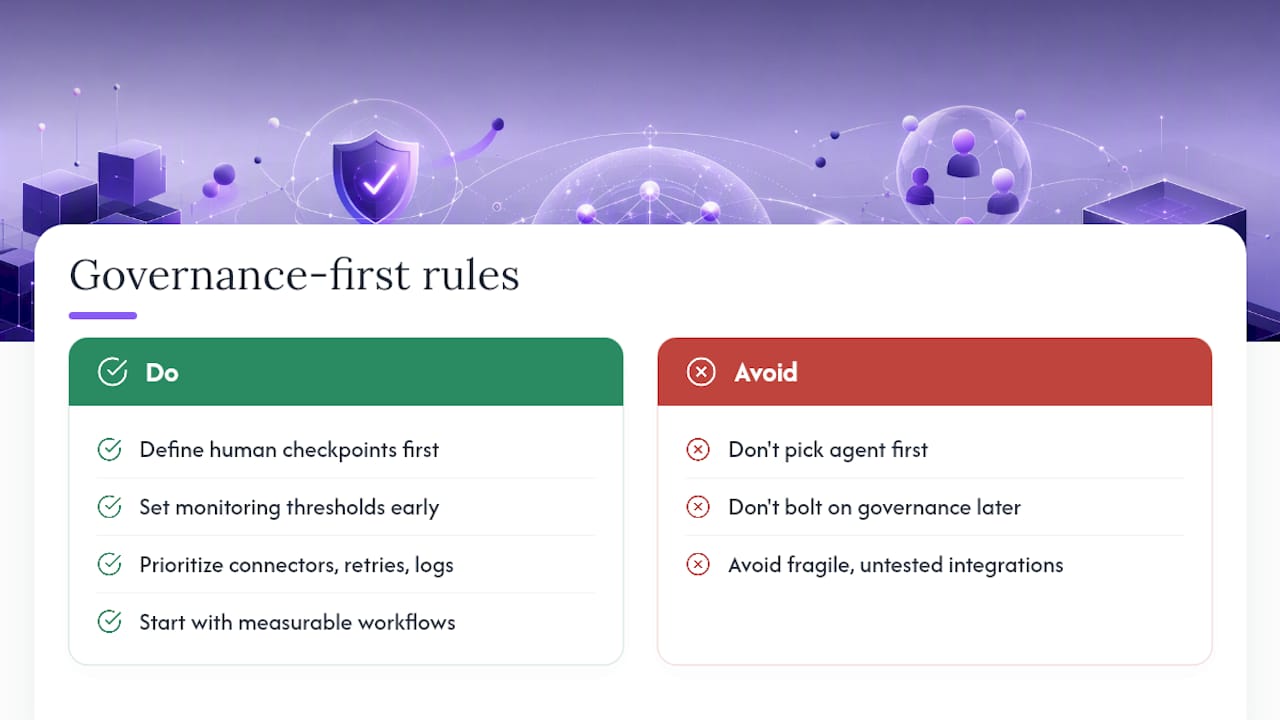
Where I think teams get this wrong most often is treating agent selection as the hard decision and governance as an afterthought bolted on before launch. It should run the other way. Decide your human-in-the-loop checkpoints and your monitoring thresholds before you pick your agent architecture, not after. A tool-using agent with rigorous guardrails will outperform a multi-agent orchestration graph with none, every time it matters.
The reader who benefits most from this guide isn't the one chasing the most sophisticated architecture. It's the one who picks a boring, measurable workflow, wires in a human checkpoint on the risky steps, and lets the metrics decide whether to expand from there.
> *— Iosif Peterfi*
Get a Private Agent Running Without the Infrastructure Work
Everything in this guide, orchestration, guardrails, observability, still requires a server that stays online, patched, and backed up. ClawBase handles that layer so you can put your engineering time into skills and workflow logic instead of uptime monitoring. It's managed OpenClaw hosting: one-click deployment, persistent memory, and routing across more than 50 AI models, with no sysadmin work on your end.

That fits developers building their first pilot workflow just as well as non-technical teams who want a private, always-on assistant without touching a terminal. If the use cases in this guide, ticket triage, document Q&A, pre-call research, sound like problems on your own plate, browse what OpenClaw agents can actually do and start a trial on a managed OpenClaw plan to see how fast a working pilot comes together.
Sources
- AI process automation — Camunda resources
- What are Agentic Workflows? | IBM
- Apache Airflow® — documentation and project site