Secure Enterprise AI in 90 Days: CMK Steps for Encryption at Rest
2026-09-03
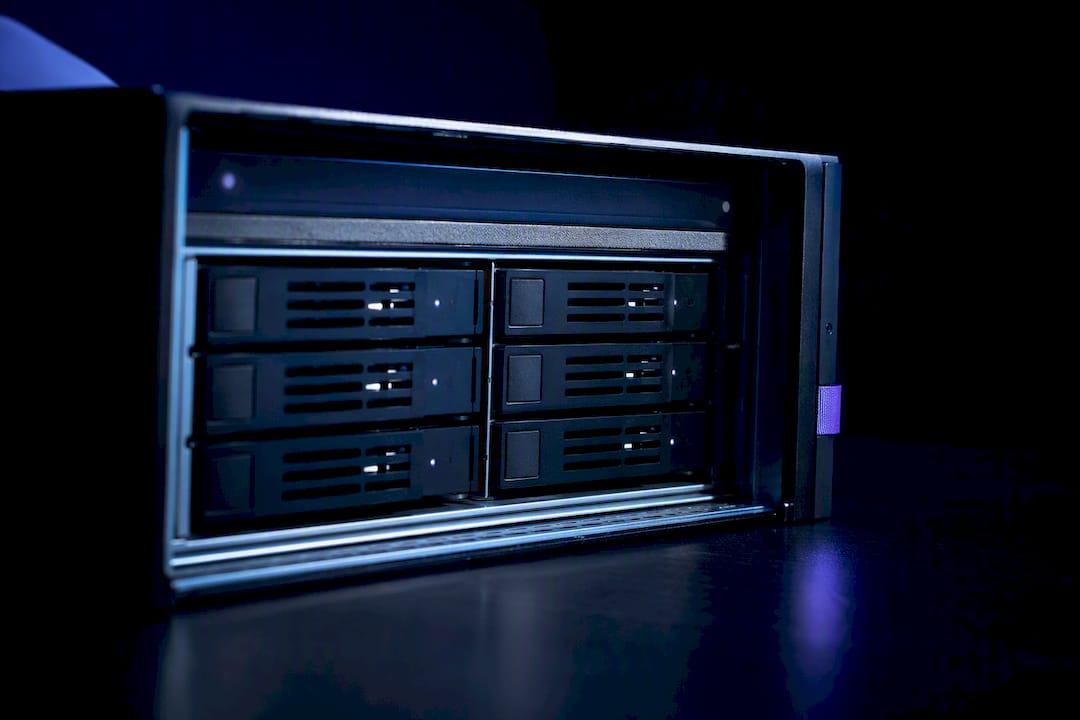
Encryption at rest scrambles stored AI artifacts (embeddings, model files, logs) using AES-256, the industry-standard cipher. The catch: it protects data only while it sits idle. The moment a model processes a prompt, that data gets decrypted into memory, which is why encryption at rest for AI needs pairing with runtime controls and, for teams that want tighter oversight, customer-managed keys through your cloud provider's KMS.
***
> TL;DR:
>
> - Encrypting AI artifacts with AES-256 protects stored data only while it remains idle; decrypted data in memory is vulnerable to attacks.
> - Different types of AI artifacts, such as training data, model weights, and logs, require separate encryption configurations across storage layers.
> - Using customer-managed keys provides full control over key rotation, revocation, and audit logs, but increases operational complexity and risk.
> - Encrypted data must be protected during active processing through confidential computing, role-based access, and application-layer encryption.
> - Regularly testing key revocation, automating key lifecycle management, and auditing access logs are essential for maintaining long-term encryption security.
***
Table of Contents
- What Encryption at Rest Means for AI Systems
- Which AI Artifacts Actually Need Encryption
- Provider-Managed Keys vs. Customer-Managed Keys (CMK)
- Configuring CMK Across Azure, AWS, and Google Cloud
- Why Encryption at Rest Isn't Enough on Its Own
- Protecting Vector Databases and Embeddings
- Key Rotation, Revocation, Audit, and Recovery
- Compliance Checks Worth Running Before an Audit
- How Managed Hosting Cuts the Operational Load
- What Actually Matters in the Next 90 Days
- A Simpler Path to Encrypted AI Infrastructure
- Sources
What Encryption at Rest Means for AI Systems
Encryption at rest for AI refers to the cryptographic protection applied to stored data belonging to an AI system when that data isn't actively being read or written. This isn't a niche concern anymore. Governance frameworks now treat it as a required baseline control for any organization running AI workloads, not an optional hardening step reserved for regulated industries.
The mechanism is straightforward. Data on disk, in object storage, or in a database gets transformed into ciphertext using AES-256, often layered with FIPS 140-2 compliance where regulatory requirements demand it. Without the correct key, the stored bytes are unreadable garbage. With it, the system decrypts on demand.
Here's the part that trips people up: encryption at rest says nothing about what happens once your AI service actually needs the data. A retrieval-augmented generation pipeline that pulls a document, decrypts it, and feeds it into a model's context window has, for that window of time, plaintext sitting in RAM. Encryption at rest is a lock on a filing cabinet. It does nothing once the drawer is open.
Which AI Artifacts Actually Need Encryption
Most teams encrypt their production database and call it done. That's a gap, because AI systems generate and store far more sensitive material than a typical application.
Consider the full inventory of artifacts a modern AI pipeline touches:
- Raw and processed training data — often contains PII, contracts, or proprietary business records that carry direct legal exposure if exposed.
- Vector embeddings — mathematically derived, but research on model inversion shows they can leak information about the source text they were generated from.
- Model binary files and fine-tuned weights — represent real intellectual property; a leaked fine-tune can hand a competitor months of training investment.
- Application and inference logs — frequently capture full prompts and completions, meaning customer data ends up logged whether anyone intended it to or not.
- Configuration files and secrets — API keys and connection strings that, if exposed, cascade into far bigger breaches.
- Snapshots and backups — an easy blind spot, since teams encrypt the live database but forget the nightly backup sitting in a separate storage tier.
Each artifact type maps to a different storage layer: object storage for datasets and model files, block volumes for working data, managed databases for structured records, and separate backup targets for snapshots. Each needs its own encryption configuration; assuming one setting covers everything is how gaps happen.
Provider-Managed Keys vs. Customer-Managed Keys (CMK)
Every major cloud provider encrypts your data by default using keys it generates and manages. That default is genuinely good. It's low effort, requires no configuration, and covers the baseline compliance box for most audits.
The trade-off is auditability. With provider-managed keys, you can't independently prove who accessed the key, you can't force an emergency rotation on your own schedule, and you can't revoke access without opening a support ticket. For teams handling regulated data or running enterprise AI deployments, that's often not good enough.
Customer-managed keys (CMK, sometimes called CMEK or BYOK depending on the provider) hand you the controls:
- Full control over rotation schedules instead of relying on provider defaults.
- The ability to revoke a key immediately, cutting off access to encrypted data in minutes.
- Detailed audit logs showing exactly which service or identity used the key and when.
- Direct integration with your existing KMS integration patterns across a multi-cloud environment.
That control comes with real operational risk. If you delete or revoke a CMK without a recovery plan, you can lock yourself out of your own training data or a deployed fine-tune until the key is restored. CMK also means planning IAM permissions carefully: managed identities, service accounts, and role bindings all need explicit grants to the key vault or KMS resource, and a missed permission means a failed deployment at 2 a.m.
Pro Tip: *Before you flip any production AI service to CMK, run a full revocation and recovery drill in staging. Revoke the key, watch what breaks, then restore it and confirm the service self-heals. If you've never tested that path, you don't actually know your recovery time, you're guessing.*
Configuring CMK Across Azure, AWS, and Google Cloud
Each major provider handles customer-managed keys differently, and the differences matter once something goes wrong.
- Azure Key Vault. Azure OpenAI and related services encrypt persisted data with FIPS 140-2 compliant AES-256 by default, and support CMK through Key Vault. Before you enable it, turn on soft delete and purge protection on the vault. Skip that step and an accidental key deletion becomes permanent and unrecoverable. Grant the AI service a managed identity with the correct Key Vault access policy, and remember that Key Vault and the resource using it typically need to sit in compatible tenant and region configurations. Rotating the key doesn't force immediate re-encryption of every object; Azure re-encrypts on next write. Revoking the key, however, will stop you from downloading training data or deploying fine-tuned models until access is restored.
- AWS KMS. AWS keeps key policies and grants as the primary access control surface. You attach a key policy to the KMS key itself, then issue grants to the specific service principals or IAM roles that need to decrypt permissions. Multi-account AWS organizations need to think through cross-account key policies early, since a key created in one account isn't automatically usable by a service running in another. Revoking a grant mid-workload can cause in-flight jobs to fail outright rather than degrade gracefully.
- Google Cloud KMS. Cloud KMS enforces location constraints, meaning your key and the resource it protects generally need to live in matching regions. Services like Agent Assist use an InitializeEncryptionSpec pattern, where you set the encryption spec once and it applies going forward; you then grant the Cloud KMS encrypter/decrypter role to the specific service account. Revoking that role makes the service unable to decrypt existing data until access returns.
A few gotchas apply across all three: keep old key versions available after rotation rather than disabling them immediately, allow trusted service traffic through any network firewalls guarding the KMS endpoint, and review access logs regularly rather than only during an audit.
Why Encryption at Rest Isn't Enough on Its Own
Encryption at rest protects data sitting still. It does not protect data while an AI system is actively using it. When a model processes a prompt, the relevant data gets decrypted into system memory, and for that window it's vulnerable to memory scraping, privileged insider access, or a compromised process reading RAM directly.
Mitigating that risk means layering additional protections on top of at-rest encryption:
- Confidential computing or secure enclaves that keep memory encrypted even during active processing.
- Strict role-based access control so far fewer people and services can reach decrypted data in the first place.
- Application-layer encryption for the most sensitive fields, so even a memory dump doesn't expose plaintext.
- Endpoint hardening and anomaly detection to catch unusual access patterns before they become a breach.
Pro Tip: *If you're handling regulated health or financial data through an AI pipeline, evaluate encryption-in-use or client-side key derivation now, before an auditor asks why decrypted PII was ever reachable by a general-purpose compute process.*
Protecting Vector Databases and Embeddings
Vector stores create an odd tension: the whole point of a vector database is fast similarity search, but encrypting everything blindly can break that search entirely.
The fix is deciding, field by field, what actually needs protection. Vectors themselves are usually safe to leave searchable in plaintext, since they're mathematically transformed and not directly readable. The metadata attached to them, and any source text stored alongside, is a different story.
Practical patterns that hold up in production:
- Format-preserving encryption for fields you still need to search or filter on, since it keeps structure intact while masking the actual value.
- Tokenization for identifiers like customer IDs or account numbers that don't need to remain human-readable anywhere downstream.
- Encrypted payload storage alongside plaintext vectors, so the searchable index stays fast while the sensitive content it points to stays locked down.
- A separate encrypted metadata store for anything containing PII or legal text, keeping it out of the vector index entirely.
Before you commit to a managed vector database provider, verify what encryption it actually supports natively, and add application-level protections on top rather than assuming the provider's default covers your compliance requirement.
Key Rotation, Revocation, Audit, and Recovery
Getting encryption configured is the easy part. Keeping it operationally sound for years is where most teams struggle.
- Rotate on a schedule, not reactively. Most KMS implementations re-encrypt asynchronously, meaning a rotation doesn't require touching every existing object immediately. New writes use the new key version; old data gets re-encrypted gradually or on next access.
- Test revocation before you need it for real. Revoking a compromised key has real consequences for running deployments, and the only way to know your actual recovery time is to simulate the failure in staging first.
- Automate the lifecycle. Manual key rotation is how keys get forgotten, left stale for years, or deleted by accident during cleanup. Wire rotation and alerting into your infrastructure-as-code pipeline instead of a calendar reminder.
Pro Tip: *Separate who can request a key rotation from who can approve it. That single control catches most insider-risk scenarios before they become incidents, and it's usually a checkbox auditors specifically look for.*
Maintain detailed audit logs of every key access event, and keep a secure, tested backup or escrow path for key material, so a lost key doesn't mean lost data permanently.
Compliance Checks Worth Running Before an Audit
Auditors and security reviewers tend to ask the same handful of questions, so it's worth verifying them yourself first.
Reference AES-256 as your baseline algorithm, and confirm FIPS 140-2 or 140-3 compliance if you operate in a regulated sector. NIST's SP 800-53 and SP 800-171 guidance both provide the control language most enterprise security questionnaires borrow from directly.
A short checklist worth running quarterly:
- Confirm the encryption algorithm and key length in use match your documented policy.
- Review KMS access controls and confirm no stale grants remain from decommissioned services.
- Verify rotation policy is actually running, not just configured.
- Pull key usage logs and confirm they show the access pattern you expect.
- Run a rotation and recovery test in staging, not production, and document the result.
How Managed Hosting Cuts the Operational Load
Running all of this correctly, across multiple cloud accounts, key vaults, and rotation schedules, takes real security engineering time. Managed private hosting handles a meaningful share of it by default: encrypted deployments configured from the start, automated daily backups, and KMS integration baked into the platform rather than assembled service by service. That still leaves you owning access policy and internal controls. Encryption infrastructure isn't a substitute for good governance, but it does remove a lot of the plumbing that otherwise eats a security team's week.
What Actually Matters in the Next 90 Days
If your AI systems only have default encryption enabled, start there: confirm it's actually on, then decide whether CMK earns its operational overhead for your specific compliance needs. Run a rotation and revocation test in staging this quarter, not "eventually." Audit your vector store separately from your main database. Most teams find sensitive metadata leaking through the one system nobody thought to check.
> *— Iosif Peterfi*
A Simpler Path to Encrypted AI Infrastructure
Clawbase is the alternative to piecing together your own KMS integration, rotation schedule, and backup strategy for a self-hosted AI assistant. Instead of configuring soft delete, purge protection, and IAM grants yourself, you get a dedicated encrypted server with daily encrypted backups and automated updates already running.

Clawbase deploys OpenClaw on a dedicated, encrypted cloud server with one click, backed by 99.9% uptime and persistent memory management, so you're not the one debugging a failed key rotation at midnight. You still own your access policy and how you connect the assistant to tools like Telegram or Slack, but the encryption plumbing underneath is handled. If you've been putting off a private AI deployment because the security configuration felt like a second job, see how OpenClaw's use cases map to your workflow and start the trial from there.
Sources
- FINOS AI Governance Framework — Encryption of AI data at rest
- Google Cloud — Customer-managed encryption keys (CMEK) for Agent Assist
- TechTarget — How to navigate data sovereignty for AI compliance